Part 4
Editing & Publishing Your Biography
First thing to do before publishing your book is to edit your story a few times to make sure there are no mistakes or spelling errors. As you edit your story, watch for repetition.
- Delete clarifying details. You want to keep the reader’s interest. The reader is smart, so you don’t need to re-emphasize a situation.
- Learn to recognize repetition. Most readers will skip over a paragraph that is repeated. Even though it’s said differently, it’s still repetitive.
Next on the list! Don’t forget the Title Page and don’t forget the Copyright Page! Some people are worried about copyrights. The United States backs up the “Berne Convention for the Protection of Literary and Artistic Works,” which means your work is protected from the moment you create it. You own the copyright to any work you create when you put it in a readable form. By placing the copyright symbol © on your work, you are saying that you own the rights.
Give a date of the original publication with your name, such as: Copyright © YEAR, Your Name. All rights reserved. No part of this book may be reproduced or transmitted in any form without permission in writing from the author.
You want your book to look professional. Check every page and make sure the “chapter page,” which says Chapter One, etc., is on the right side. The right side is always the odd numbered pages. If you need to, you can have a blank page or a photo on the left side.
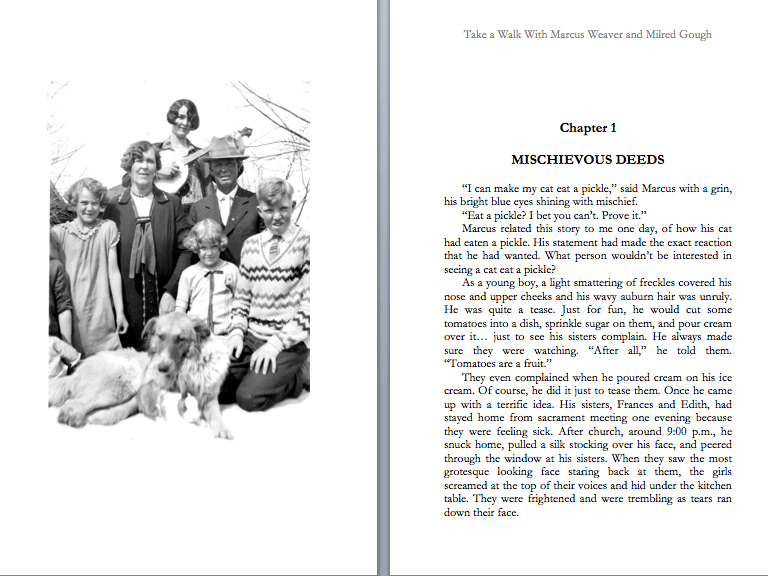
Add photos! They help in telling a story. Remember to scan your pictures at 300 dpi for the best resolution. You don’t need to scan it any higher. When inserting your photo, I wouldn’t choose “wrap around” because the photo tends to move about. I would click “insert” at the top of the Word Document and insert it either above or below your paragraph. Or you can put them on the left side of the page, separate from your writing, like the example above.
There are many places to publish your book but my favorite is KDP. Kindle Direct Publishing is an “Independent Publisher” and the quality is excellent. You don’t have to pay anything upfront or buy a certain amount of books. It is absolutely free. All you have to do is upload your manuscript in the correct size you prefer. If you need any help with a book cover, they have a place on the KDP website where you can create your own book cover.
KDP will make your book available on Amazon and at Barnes and Nobles. Also, you get to set the retail price. Remember! You only have to pay the printing cost when ordering your books. Not the retail price. You can buy them on the KDP website where you uploaded your book. You are not limited to how many books you can buy. You can buy as many as you want at any time and as many times as you like.
Here are some examples. For a 5.25 X 8 inch black and white paperback, 241 pages, I pay $3.79. For an 8X10 paperback in color, 72 pages, I pay $3.44. The quality is excellent. KDP allows you to publish your book as a paperback, an eBook, and as a hard copy.
If you have any questions, let me know your concerns and I’ll try to answer them.
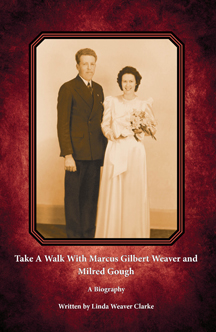
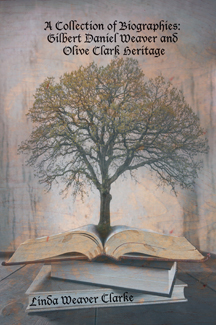
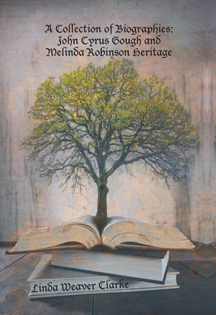
Here are some examples of book covers that my husband created for the biographies that I published.